How to Tag Songs in Spotify
I struggled for years as a DJ, trying to tame my 10,000+ song library, never able to keep my tracks organized and searchable. I tried every workaround I could find, and none of them stuck. So I built Tagify - a free tool to tag, rate, and organize your songs, the way you actually think about music.
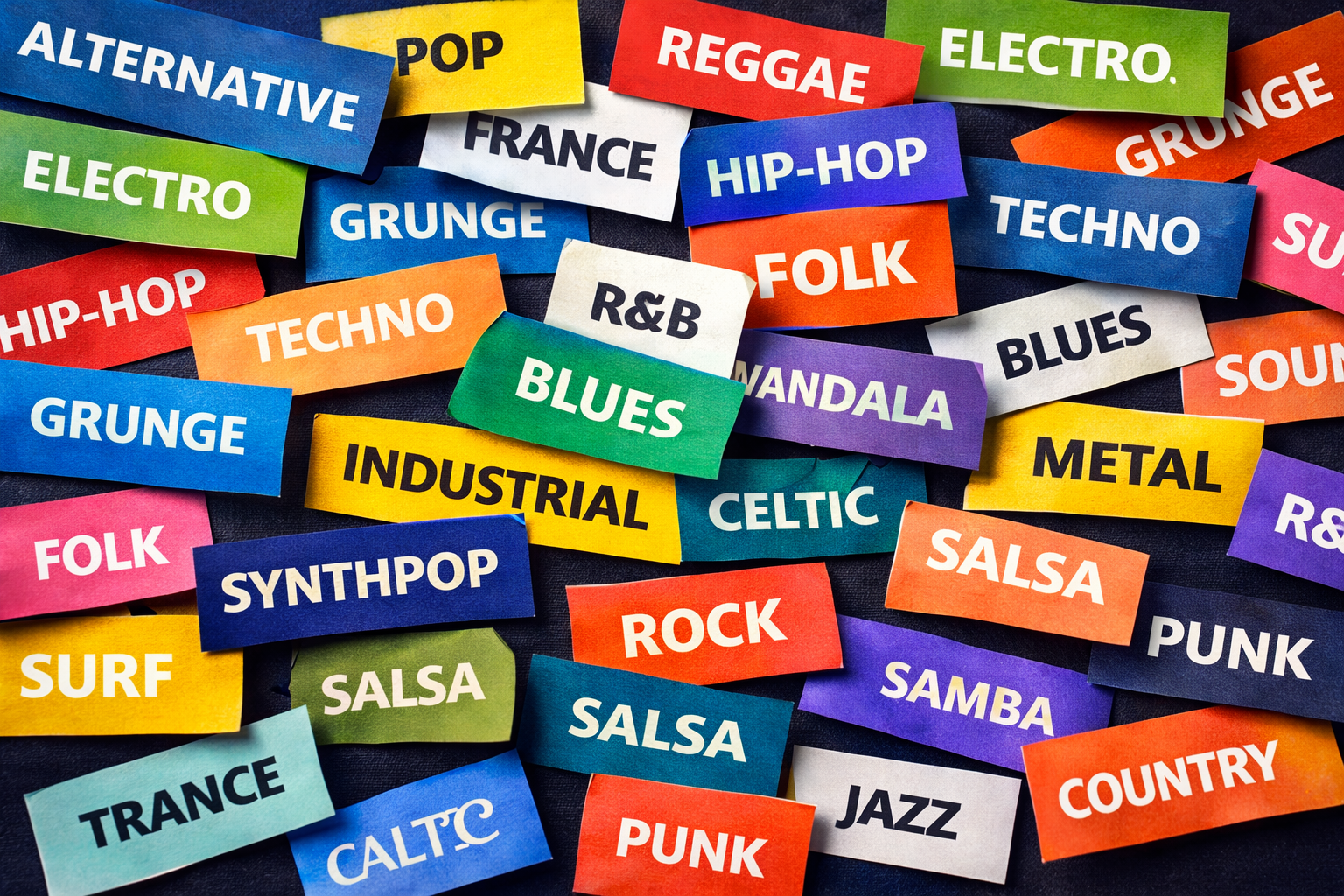
The Playlist Problem
Your music library is personal. It's tied to moments, moods, and tiny details you can't fit into a playlist title. That's why I wanted tagging inside Spotify for years. A playlist called " Morning" doesn't capture the difference between foggy, piano-only mornings and sun-up, upbeat mornings. Tags can. They let a track live in multiple feelings at once. Once I tagged a few thousand songs, I started seeing connections I never noticed before.
Playlists were the worst offender. At one point I had 47 of them, with names like "Chill Vibes 1," "Chill Vibes 2," "Actually Chill This Time," and "Chill But Electronic." It was messy, brittle, and constantly out of date.
The fundamental issue is simple: playlists force single-category thinking. But music doesn't work that way. A song can be energetic AND electronic AND perfect for workouts AND great for morning commutes - all at once. Playlists can't handle that.
What I Actually Needed
I needed this inside Spotify. I needed to organize music the way my brain already works. When I want to listen to something, I don't think "let me find the right playlist." I think:
- "I want high-energy electronic music for coding"
- "I need chill instrumental tracks under 100 BPM for focus work"
- "Show me my favorite 5-star indie tracks with vocals"
Spotify can't answer those requests. I needed tags, ratings, and smart filtering - inside Spotify. Not another app, not a spreadsheet, not another maze of playlists.
So I Built Tagify
Tagify adds a real tagging system directly into Spotify. It gives you the control Spotify never shipped, without leaving the app:
Custom Tags
Create any tag system you want. Mood, genre, activity, energy, vibe, context-organize music your way.
Star Ratings
Rate every song from 1-5 stars. Set energy levels from 1-10. Finally distinguish your favorites from the forgettable.
Smart Filtering
Filter by any combination of tags, ratings, energy, and BPM. Find exactly what you want in seconds.
Auto-Updating Playlists
Create playlists that update automatically when new songs match your criteria. Set it once, never touch it again.
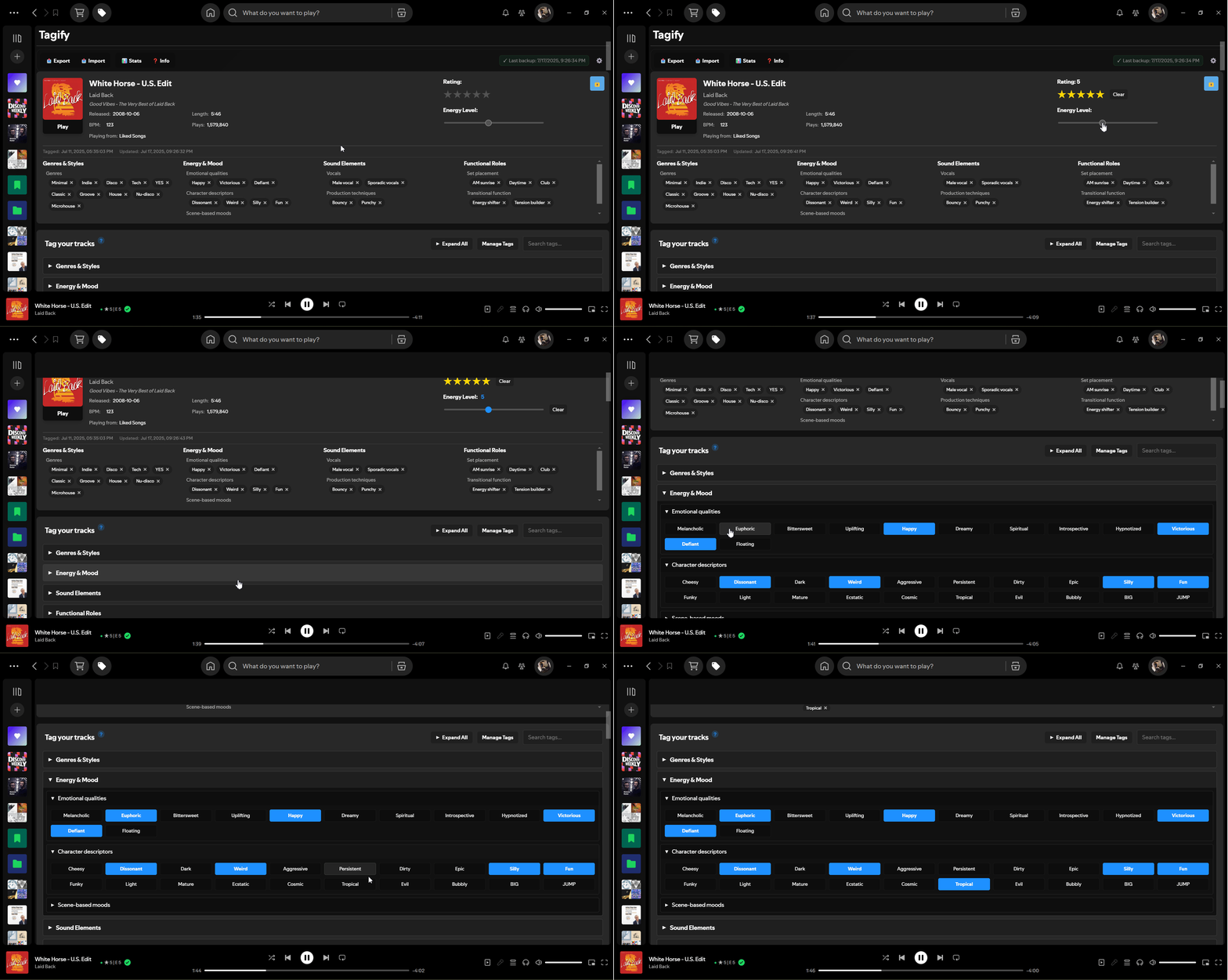
Tagging a track with ratings and custom tags
Watch the 1-minute Demo
If you want the quick tour, this shows tagging, ratings, and filtering in action.
A fast walkthrough of Tagify in Spotify.
How It Actually Works
The workflow is simple:
1. Create your tag system
Build categories that match how you think about music. Some of mine:
I keep both moods and moments so a track can be "Rainy Night" and "Focus" at the same time.
- Mood: Chill, Energetic, Melancholic, Uplifting
- Activity: Workout, Focus, Party, Commute
- Genre: Electronic → House → Deep House (nested!)
- Context: Morning, Night, Rainy Day, Road Trip
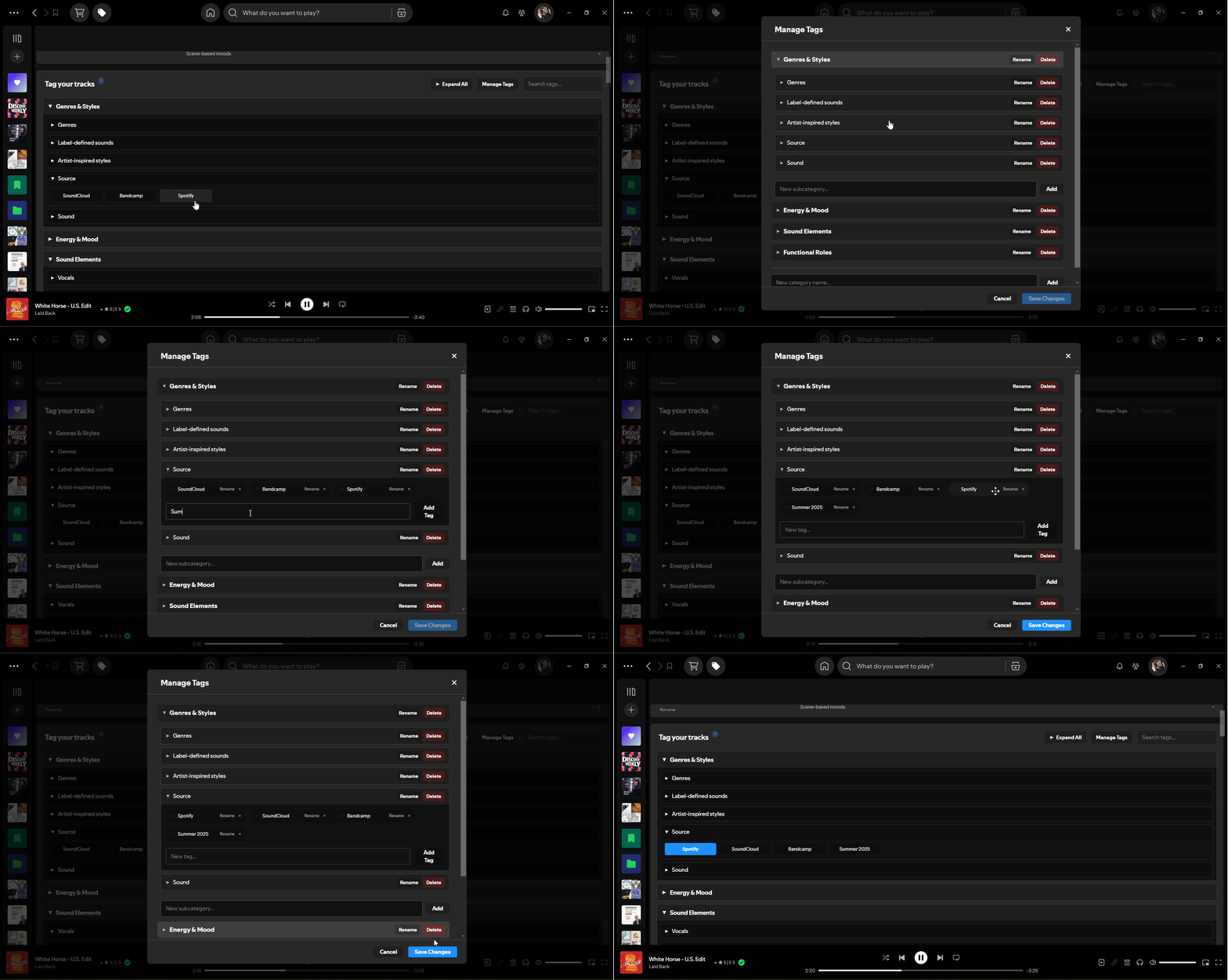
Creating custom tag categories and tags
2. Tag your tracks as you listen
Play any song, rate it, set energy level, apply tags. Takes 5 seconds per track. Or use bulk tagging to handle entire albums at once.
3. Filter to find exactly what you want
Want workout music? Filter for: 4-5 stars, energy 8-10, tags "Energetic + Workout", exclude vocals, BPM 120-140. Instant custom playlist.
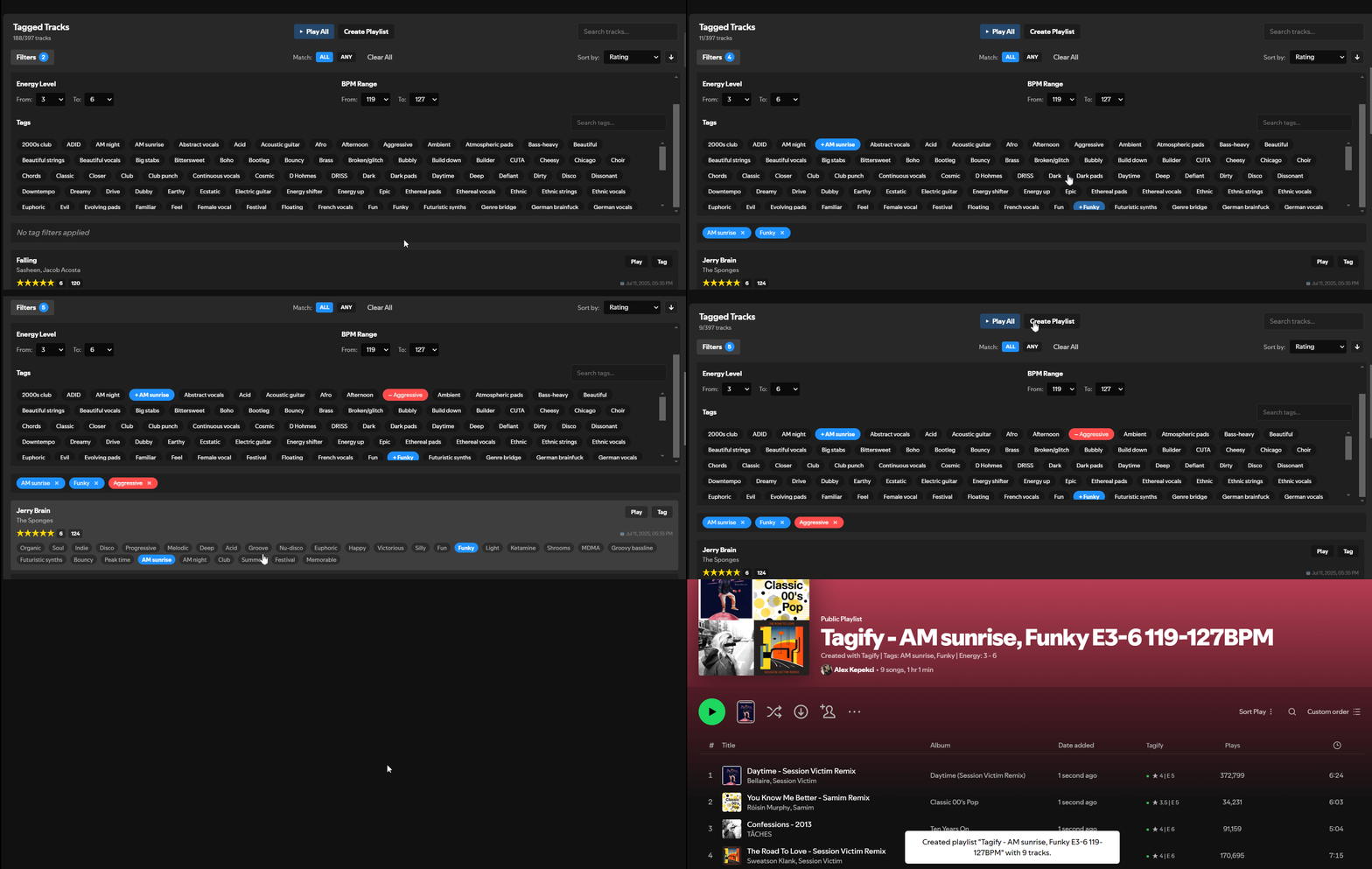
Filtering tracks and creating playlists from results
4. Create smart playlists that update automatically
The killer feature: set your criteria once, and every future song that matches gets added automatically. Tag a new 5-star chill electronic track? It instantly appears in your "Chill Electronic Favorites" playlist. Forever.
Why Not Just Use Playlists?
Because playlists force single-category thinking. A song is either in "Workout" or "Energetic" or "Electronic" - pick one. With tags, it can be all three at once.
Plus, you can't filter playlists. Can't search for "all 5-star songs tagged Chill + Electronic, no vocals, under 100 BPM." That query is impossible with native Spotify. With Tagify, it takes 10 seconds.
And playlists require constant manual management. Smart playlists? Set once, auto-update forever.
It's Free
I built Tagify because I needed it. Then I realized other people had the same problem, so I made it publicly available.
It's completely free, works on Windows/Mac/Linux (desktop only for now), and takes about 2 minutes to install. There's an active community on Discord and GitHub Discussions where people share their tag systems and request features.